Screenshot Extension installed! 🎉 Here's how to get started.
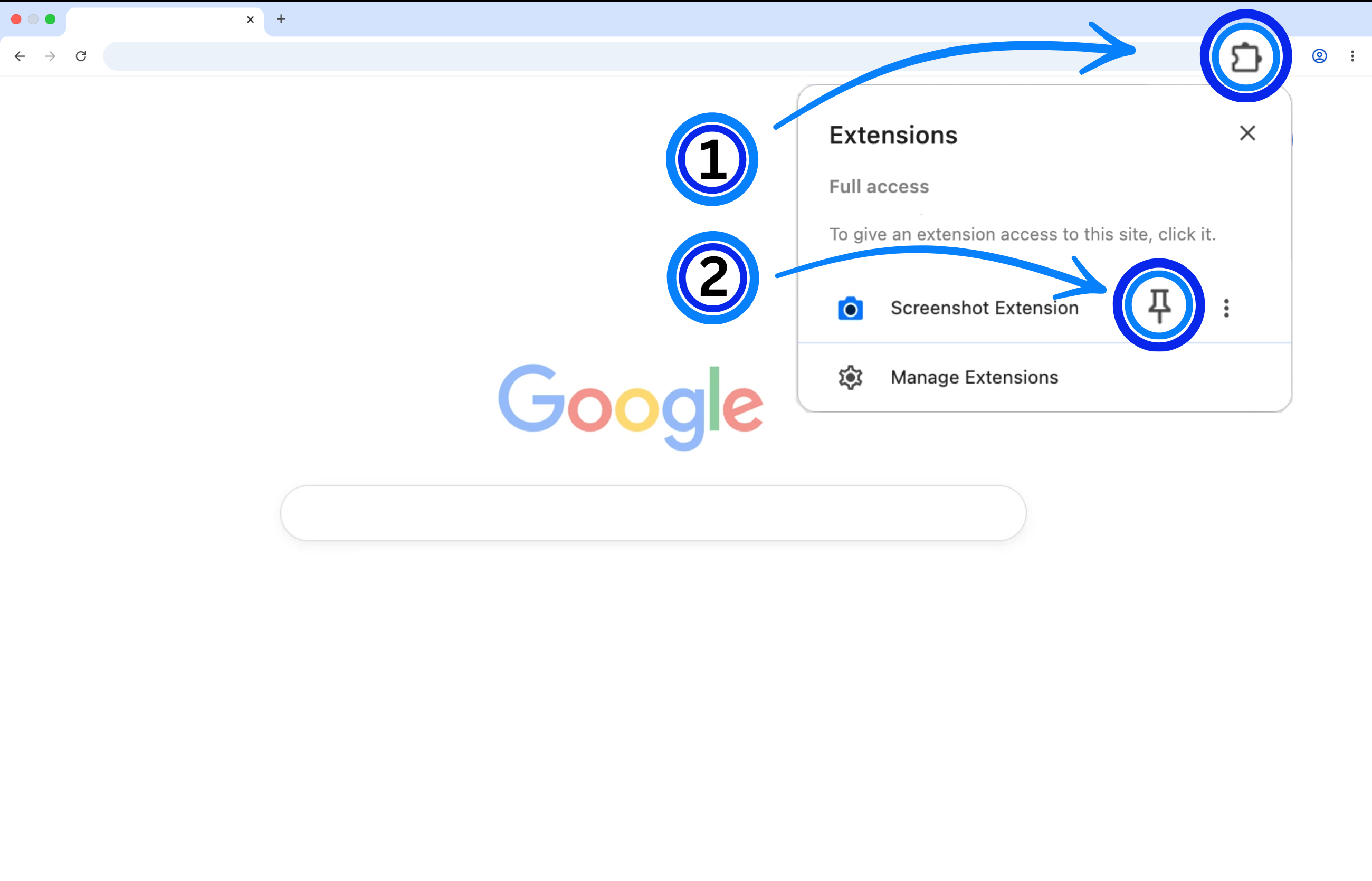
Click the puzzle piece (1) in the top right of your browser. Then, click the little pin (2) next to the extension:
That's it! Click the icon (3) on any page to use it.
Click the puzzle piece (1) in the top right of your browser. Then, click the little pin (2) next to the extension:
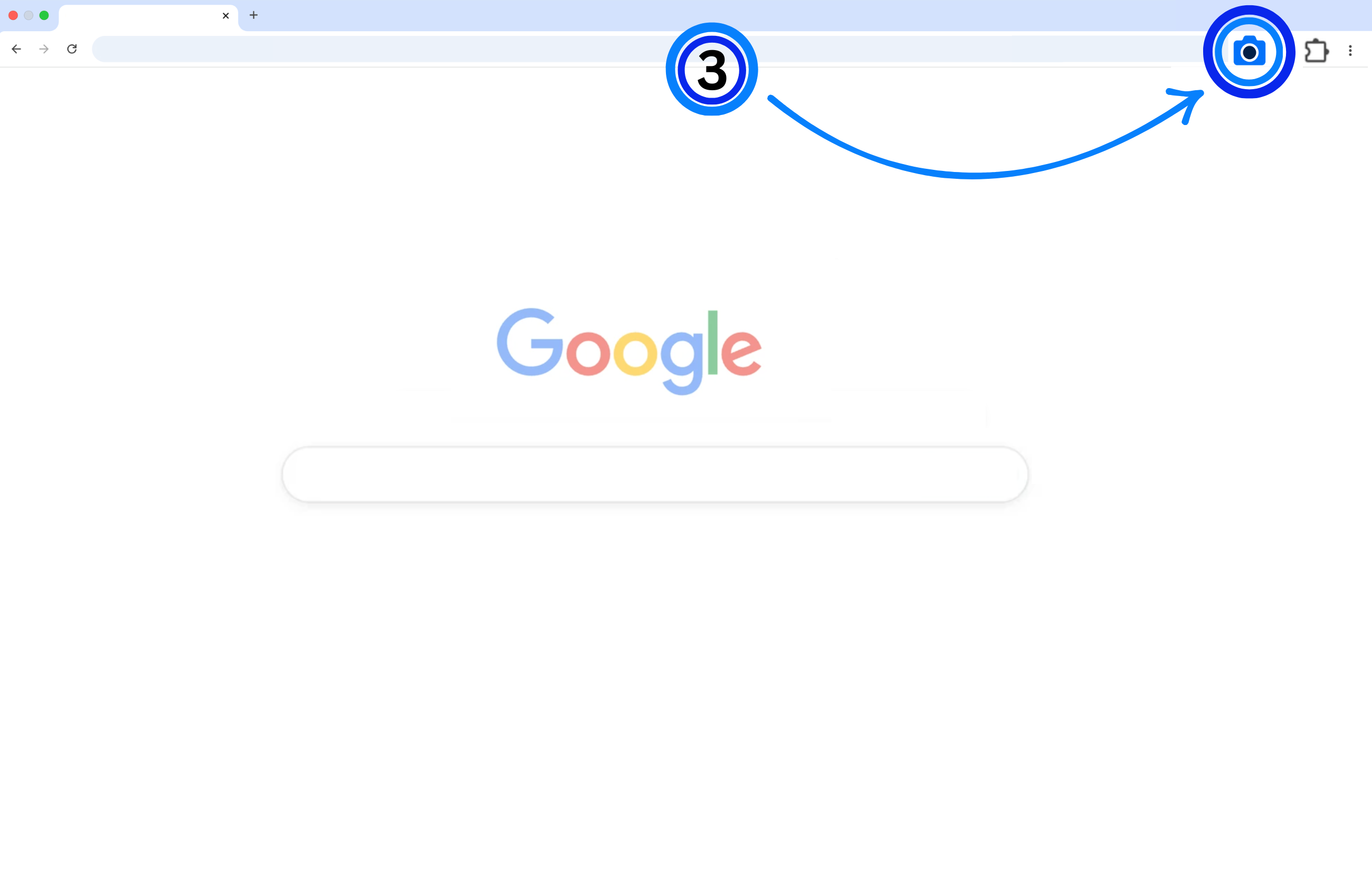
That's it! Click the icon (3) on any page to use it.